
Section Four: Validating our credit card transactions pipeline in Splunk
Now we have applied our pipeline here is what we should be seeing now.
- First our cc_trans_im index is showing our dropped and redacted credit card transaction details.
- Second our cc_trans_pii index will show us the original un-changed raw data.
Lets validate!
Validate pipeline in Splunk
- From our splunk console.
Click the Splunk Cloud logo Select search & reporting app,on the left-hand sideSet the Time range from last 15 minutesandpaste the following code inand run the search to check our cc_trans_im index data has changed. See example result below:
index="cc_trans_im"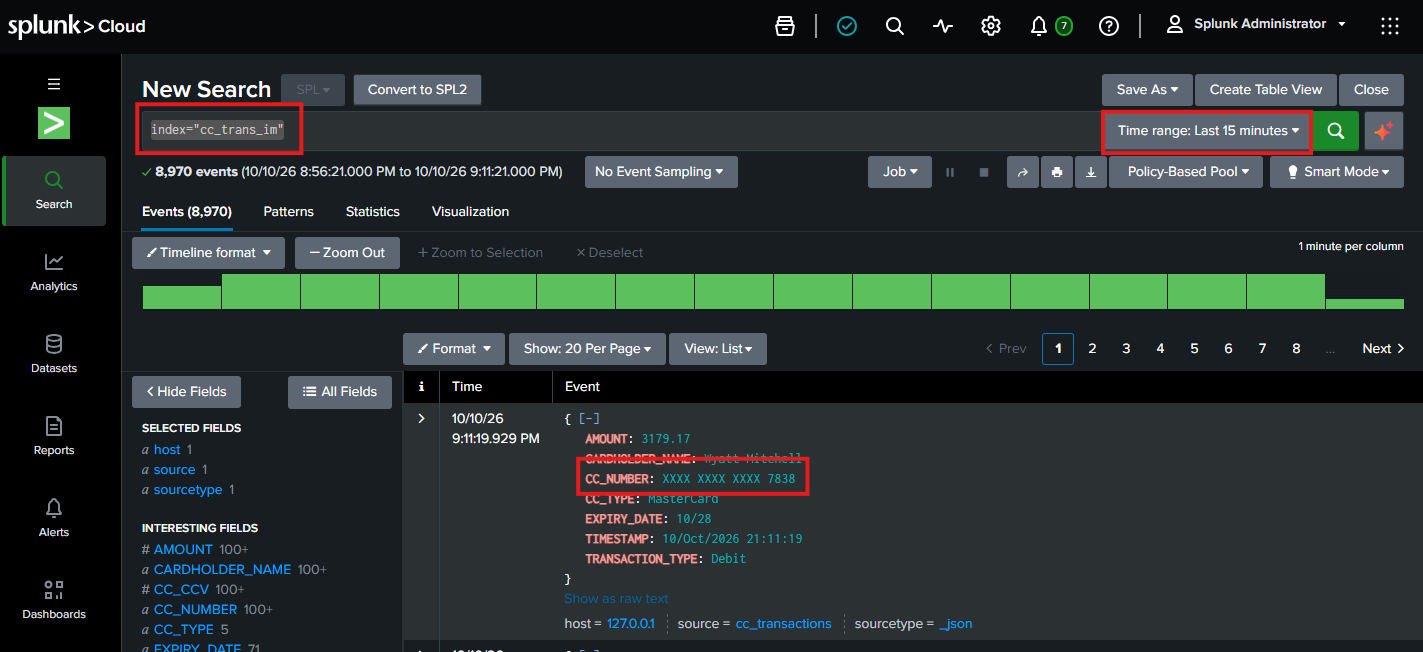
You can see our cc_trans_im index has indeed changed. The data is less and the CC_NUMBER is ‘xxx’ out!
- Lastly, either in a new tab or replace the current search with the
following SPL code belowand run a new search. See example result below:
index="cc_trans_pii"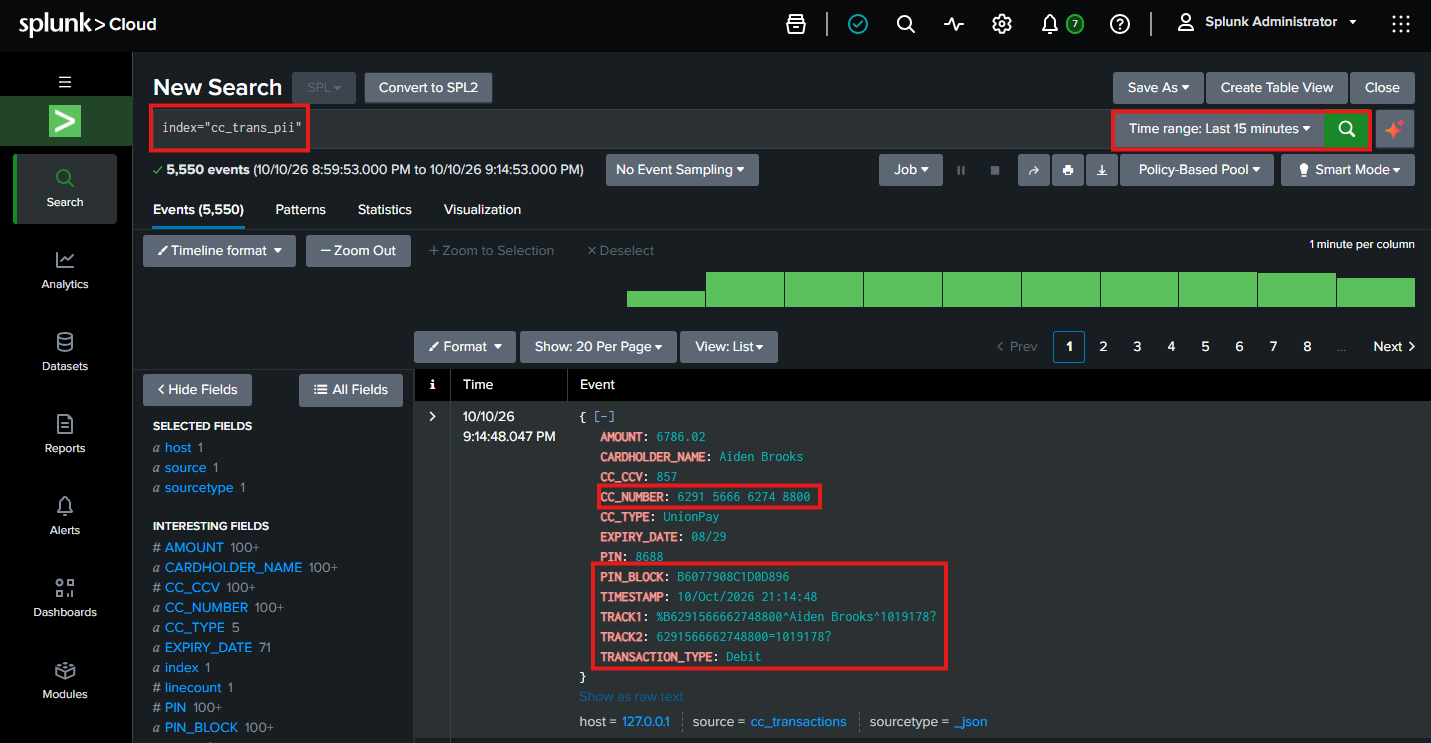
Congratulations you have completed the first part of the workshop by splitting our data into two indexes. One with masked data for our monitoring team and the other for our PII auditors.
Well done! Time to move onto Lab 2!