
Section One: Viewing Our Existing Data
Let's start off by inspecting the existing credit card transactions currently being ingested into the Splunk platform.
Searching Credit Card Details in Splunk
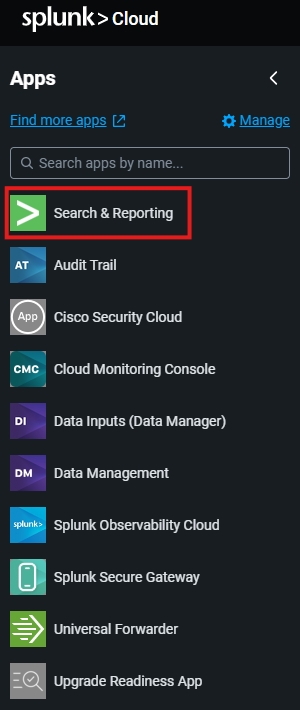
- Open Search & Reporting from your Splunk Web home page by selecting
Search & Reportingfrom the left-hand navigation menu. See example below:
- In the search bar,
set the time range picker to be 15 minutes, and enter the following SPL into the search bar.
index="cc_trans_im"Example result:
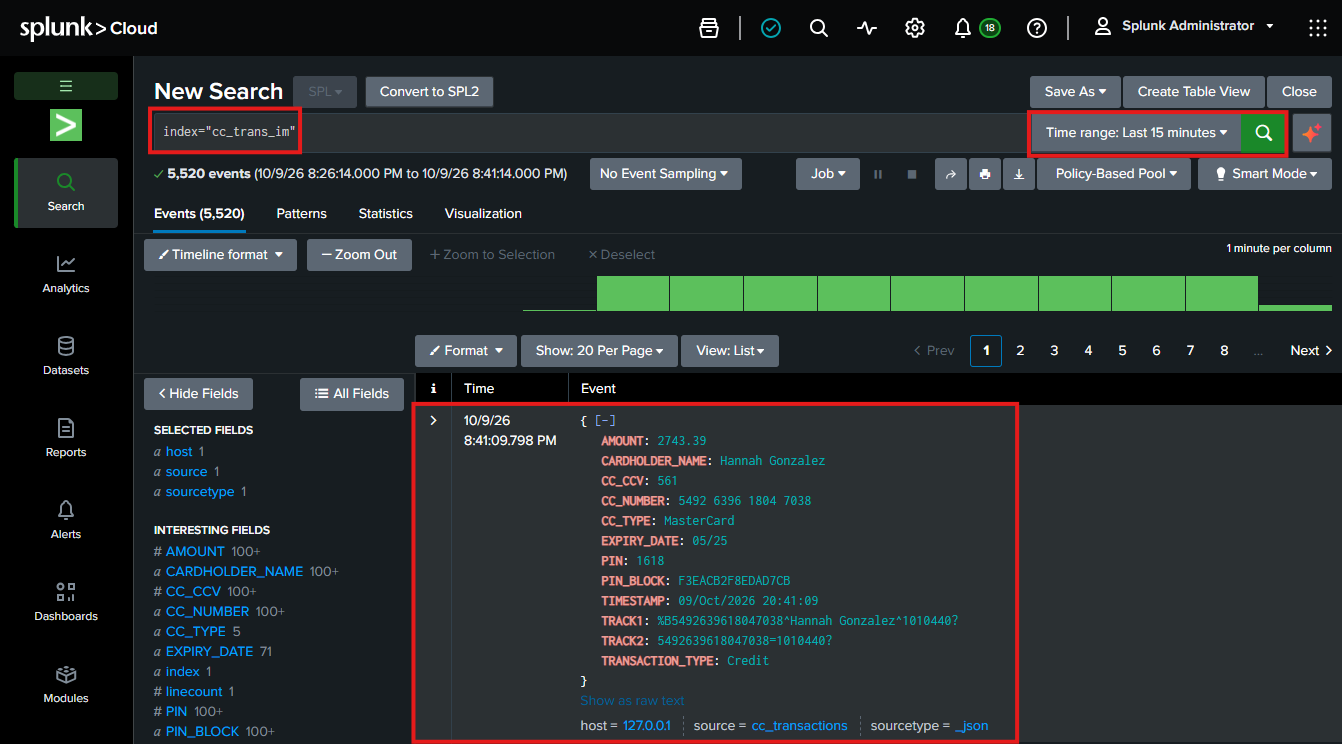
Spend a few minutes reviewing the returned events.
Notice that unmasked PII (such as full credit card account numbers and sensitive customer details) are visible in plain text!
Now we have shown the raw un-masked data coming into the infrastructure monitoring index it is time to start using our Ingest Processor to achieve out goal of splitting this data up and filtering out the PII.